
- If ANY Search Filter (Make, Model, etc) does not expand and pulls up 0 inventory (knowing there should be some in stock)
Ex: Mercedes, Chevrolet, come back with 0 results/no matches found in inventory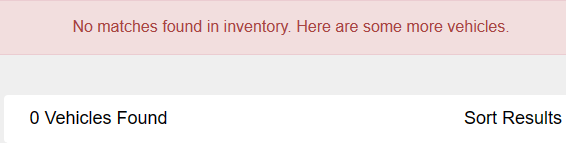
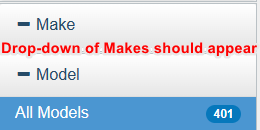
This is most likely an issue with the REDIS cache, which is failing to update properly. We can manually force an update by following these steps:
- Log in
- Click 'My Dashboard'

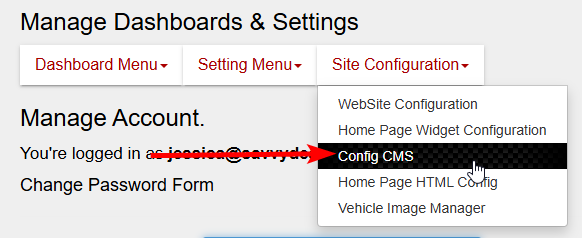
- Click 'Config CMS' under "Site Configuration'
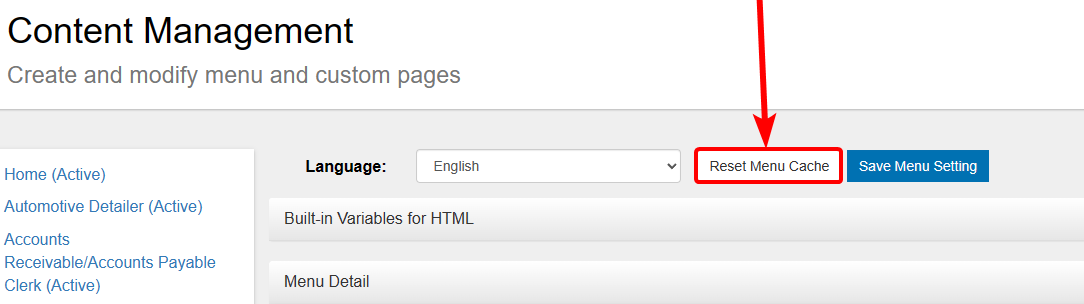
- Click 'Reset Menu Cache'
- Check to see that the Search Filter drop-downs now expand.
If you do not have access to the CMS, there is another option:
- Navigate to a Vehicle Edit Screen of ANY vehicle by clicking 'Edit'
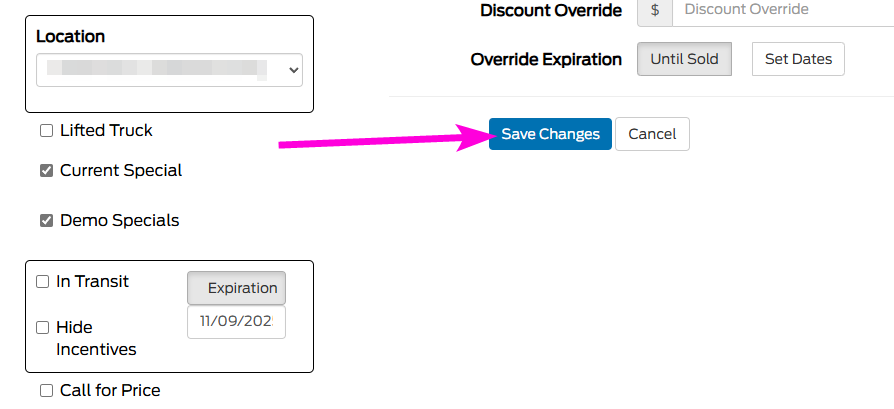
- Click 'Save Changes'
- Check to see that the Search Filters now expand.